kolr
Your colour swatches, one click from any layer in After Effects.
Free. Works in After Effects 2022 and later, on Windows and Mac.
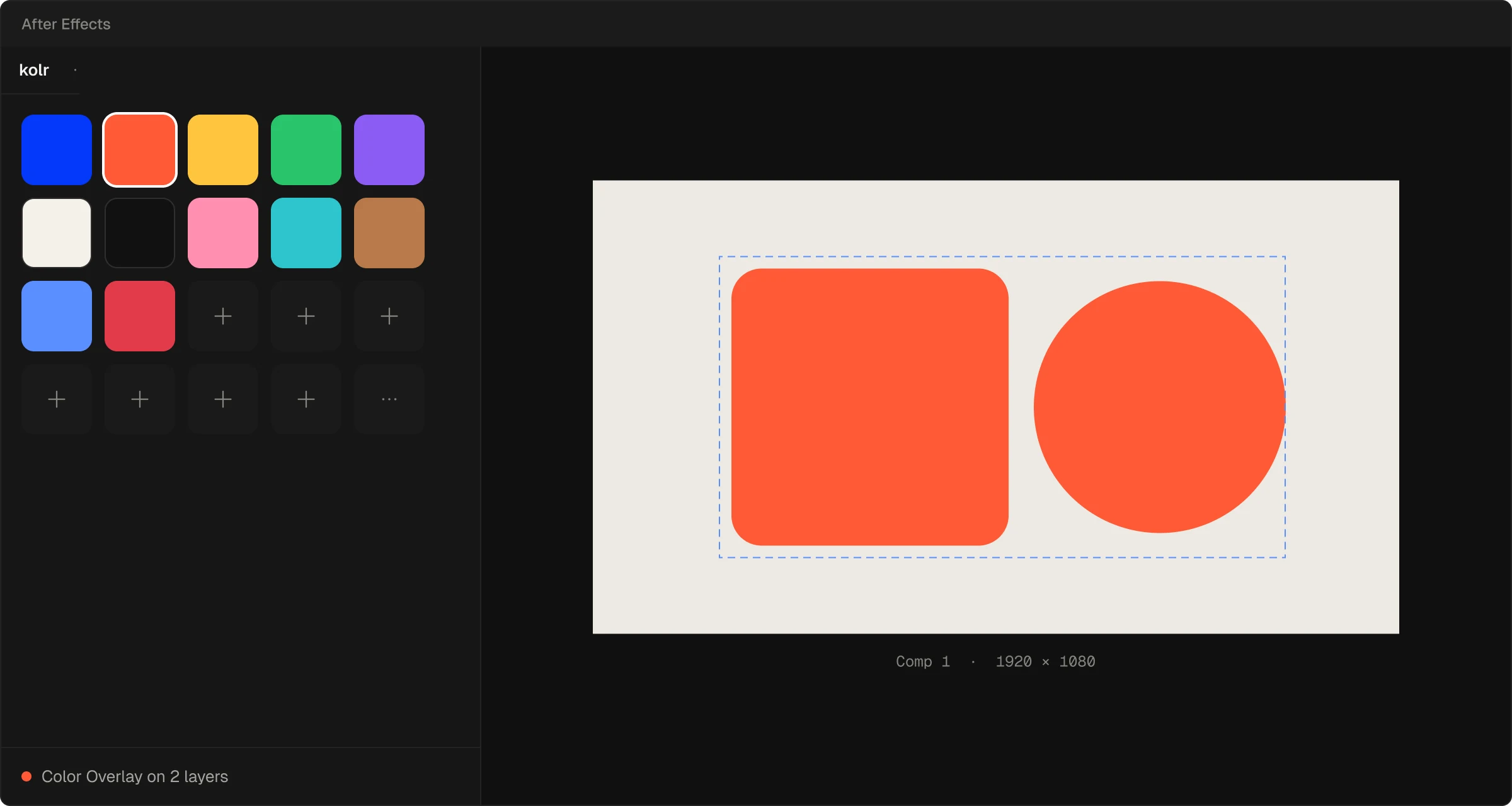
One click, one colour
Click a swatch and the selected layers get that colour as a Color Overlay.
Double-click for a stroke
Double-click adds a Stroke. With nothing selected, it makes a full-frame background layer.
Your palette, your order
Pick colours with After Effects’ own picker, drag to reorder, copy and paste whole palettes.
How it works
- Step 1
Get bloot apps
Download it free from bloot.app. It installs and updates every bloot plugin.
- Step 2
Install kolr
One click in bloot apps. New versions arrive the same way.
- Step 3
Open it in After Effects
Window › Extensions › kolr, then dock it wherever you like.
Questions
Something else? Write to us on Telegram.
Is kolr free?
Yes, you can use kolr for free.
Which After Effects versions does it support?
After Effects 2022 and later.
Does it work on Mac?
Yes. kolr works in After Effects on Windows and on Mac.
How do I update kolr?
bloot apps tells you when a new version is ready. Click Update and restart After Effects.