lynk
Paste a link, get the file. Video or audio from YouTube, TikTok, Instagram, X and 1,800+ other sites.
qooti runs on Windows and Mac. Send yourself the link and download it on your computer.
Free. No ads. Installs from bloot apps.
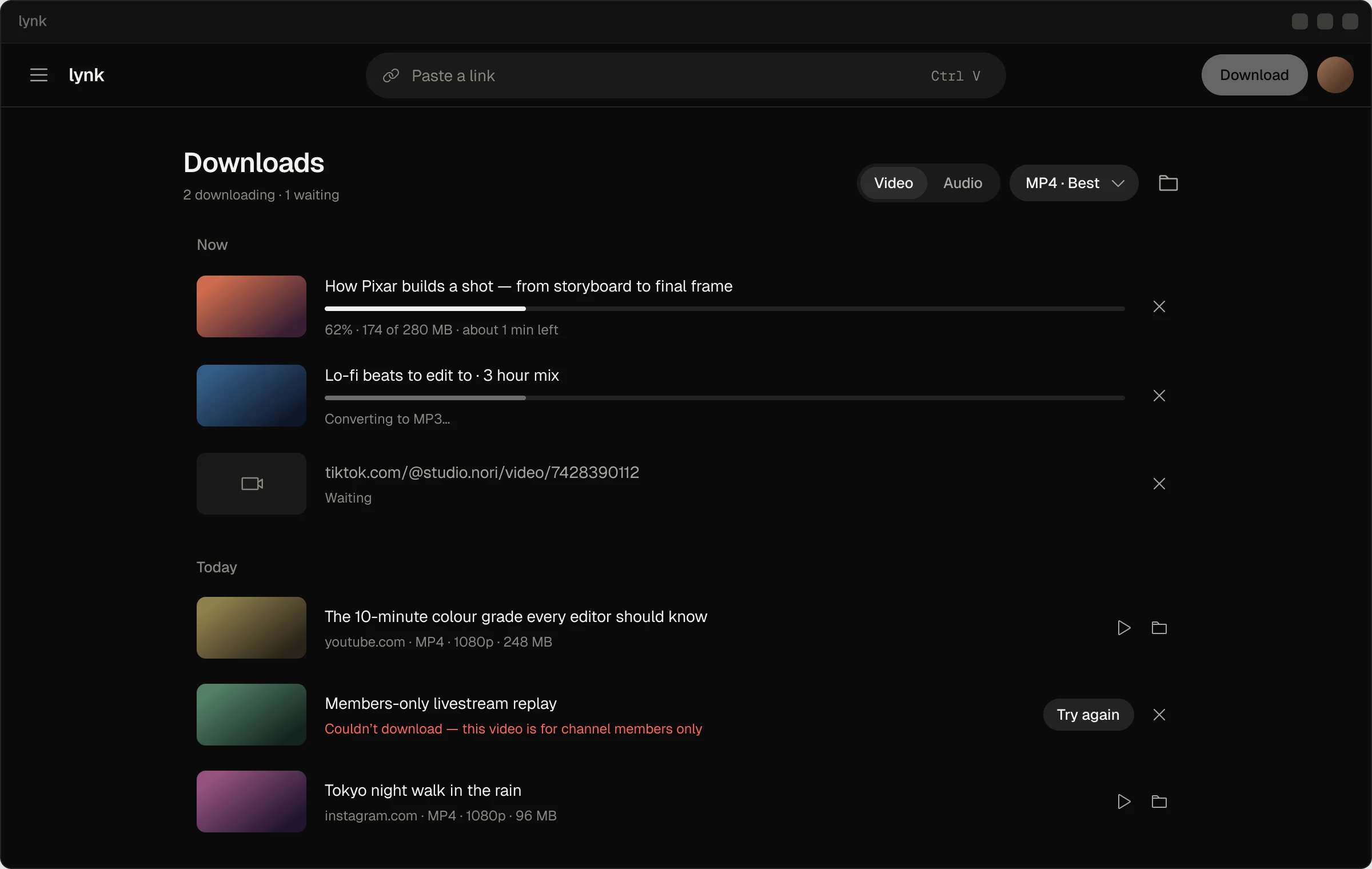
Video or audio
MP4 or MKV in the best quality the site has, or just the sound as MP3 or M4A.
Whole playlists
Paste a playlist link, untick what you don’t need, and lynk downloads the rest in order.
No ads, no account
Free for good. Nothing to sign in to, nothing to unlock.
How it works
- Step 1
Copy a link
lynk sees it on your clipboard and offers to download it.
- Step 2
Pick a format
Video or audio, then the quality. lynk remembers your choice.
- Step 3
Find it in Downloads
Files go to your Downloads folder, or anywhere you choose in Settings.
Questions
Something else? Write to us on Telegram.
Is lynk really free?
Yes. No ads, no account and no paid plan.
Which sites does it work with?
YouTube, TikTok, Instagram, X and more than 1,800 other sites.
Where do my files go?
To your Downloads folder, unless you pick another folder in Settings.
Does it work on Mac?
Yes, on Windows and on Mac. lynk installs from bloot apps and opens straight away, with no extra steps.